Showing posts with label bank. Show all posts

SamudBunShe version 1.31

  • 0

SamudBunShe version 1.31 new design

Now SamudBunShe version 1.31 is published today, In this version you can see new design of application. here are the updated screen.
  1. Out screen
out_screen
From this you can enter the description, amount to pay, select date time you pay and what type of your payment

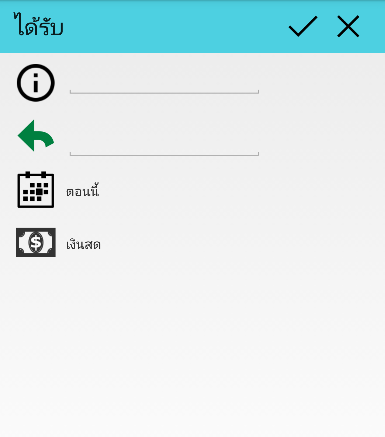
 2. In screen
in screen
Similar to Out screen, you can enter the description, amount to pay, select date time you pay and what type of your payment

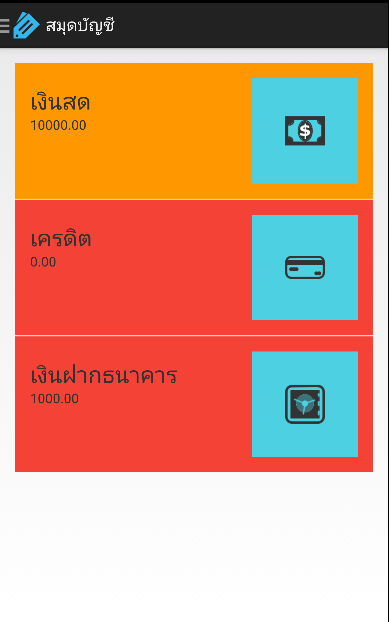
3. summary screen
summary_screen
This become main screen, you can see how your status easy with color. You can click for each on for details.

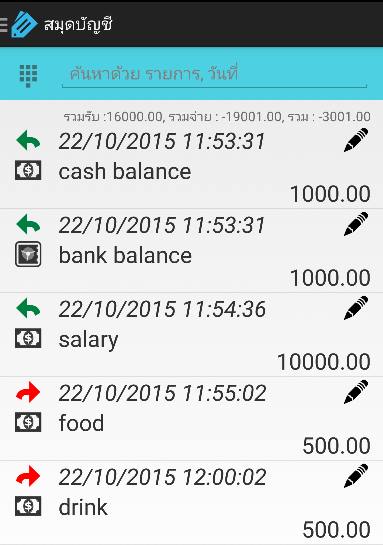
4. detail screen
detail_screen
From this screen you can select filter, type the keyword you want to search for details.  you can choose filter on this screen.
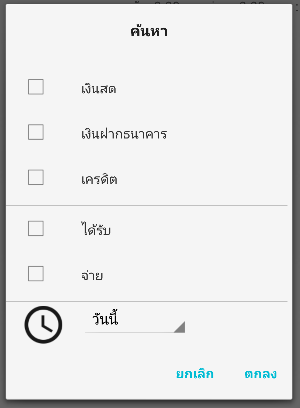
filter_screen

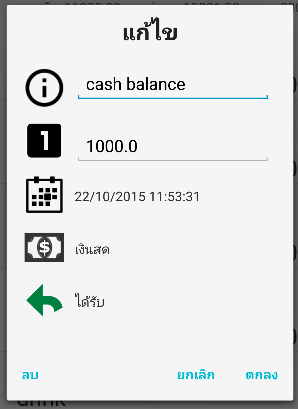
5. edit screen
edit_screen

from detail screen, you can click to edit or delete your entry any time, you can change any information : description, amount, date time, type of payment or type of entry.

6. settings screen
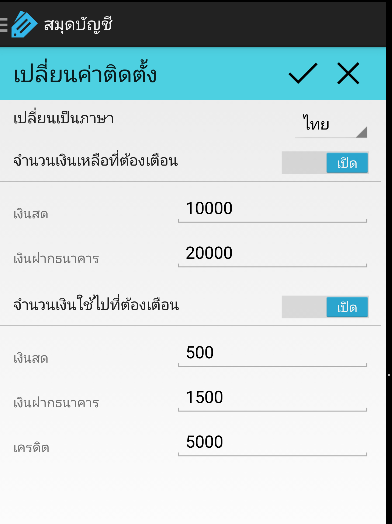
setting_screen
from here you can change the language of application, the limit of notification you want to show.

7. short cut screen
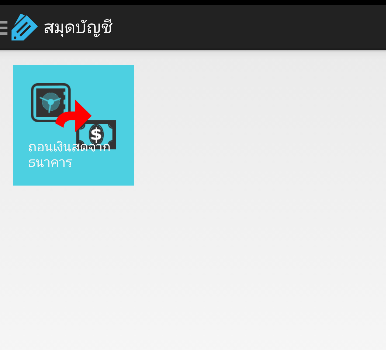
shortcut_screen
you can easier do the transaction with few clicks : withdraw money from bank.

8. backup screen
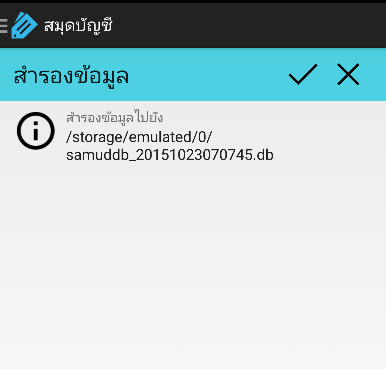
backup_screen
with this screen you can backup data to your local storage in your device.

You can update from your android update system or click it below.

SamudBunShe version 1.30

SamudBunShe Pro version 2.7 new functionality shortcut

  • 0

SamudBunShe Pro version 2.7 new functionality shortcut

SamudBunShe Pro version 2.7 is published today, this new functional "shortcut" 

SamudBunShe Pro shortcut screen
With this new function, now you can easier to record your withdraw from bank, deposit cash to bank or paid credit card, just few step

to withdraw from bank
  1. put your amount
  2. check your date is correct? (if not change it)
  3. click on 'red arrow' after "withdraw cash from bank"
to deposit to bank
  1. put your amount
  2. check your date is correct? (if not change it)
  3. click on 'green arrow' after "deposit cash to bank"
to paid credit card
  1. put your amount
  2. check your date is correct? (if not change it)
  3. if you paid with cash, click on 'red arrow' after "with cash"
  4. if you paid with bank, click on 'red arrow' after "with bank"
When you do withdraw from bank, you will get the record created instantly in 1 step, like you do manually by this
  • out menu
    • fill bank out 
  • in menu
    • fill cash in

Hope you enjoy this shortcut functionality.

SamudBunShe Pro version 2.6

SamudBunShe version 1.29 new functionality shortcut

  • 0

SamudBunShe version 1.29 new functionality shortcut

SamudBunShe version 1.29 is published today, this new functional "shortcut" 

SamudBunShe shortcut screen
With this new function, now you can easier to record your withdraw of bank, just few step
  1. put your amount
  2. check your date is correct? (if not change it)
  3. click on 'red arrow'
You will get the record created instantly in 1 step, like you do manually by this
  • out menu
    • fill bank out 
  • in menu
    • fill cash in

Hope you enjoy this shortcut functionality.

You can update from your android update system or click it below.

SamudBunShe version 1.28